Struggling to manage messages, meetings, and tasks across multiple apps? Many UK teams lose hours switching between emails, chat tools, and project platforms. Microsoft Teams features bring chat, calls, meetings, files, and apps together in one workspace, helping your team stay organised and productive. By using the right Teams features, you can streamline workflows, reduce stress, and unlock the real benefits of Microsoft Teams for your business.
Why Microsoft Teams Matters in 2026
Teams centralises communication and collaboration so your team doesn’t have to bounce between tools. It has become the core digital workspace for UK organisations, cutting through the noise of scattered apps, constant switching, and endless notifications. Instead of juggling emails, chat tools, shared drives, and project platforms, Teams brings everything into one organised hub conversations, meetings, documents, tasks, and essential business apps.
AI automatically summarises meetings
Teams Phone replaces PBX systems
Whiteboard supports natural remote collaboration
Co-authoring eliminates version conflicts
Shared channels connect external partners securely
Planner and to do organise tasks in one place
Power Automate cuts repetitive work
Top 10 Microsoft Teams Features to Use in 2026
1. Intelligent Meeting Recap
Teams automatically converts every meeting into a digest you can scan in minutes.
What it includes
- Key points
- Suggested action items
- Speaker timelines
- Timestamped sections
Why it’s useful: No more digging through hour-long recordings. Everyone gets the same understanding instantly.
Pro tip: Add a short agenda to the meeting invite; it helps the AI produce sharper summaries.
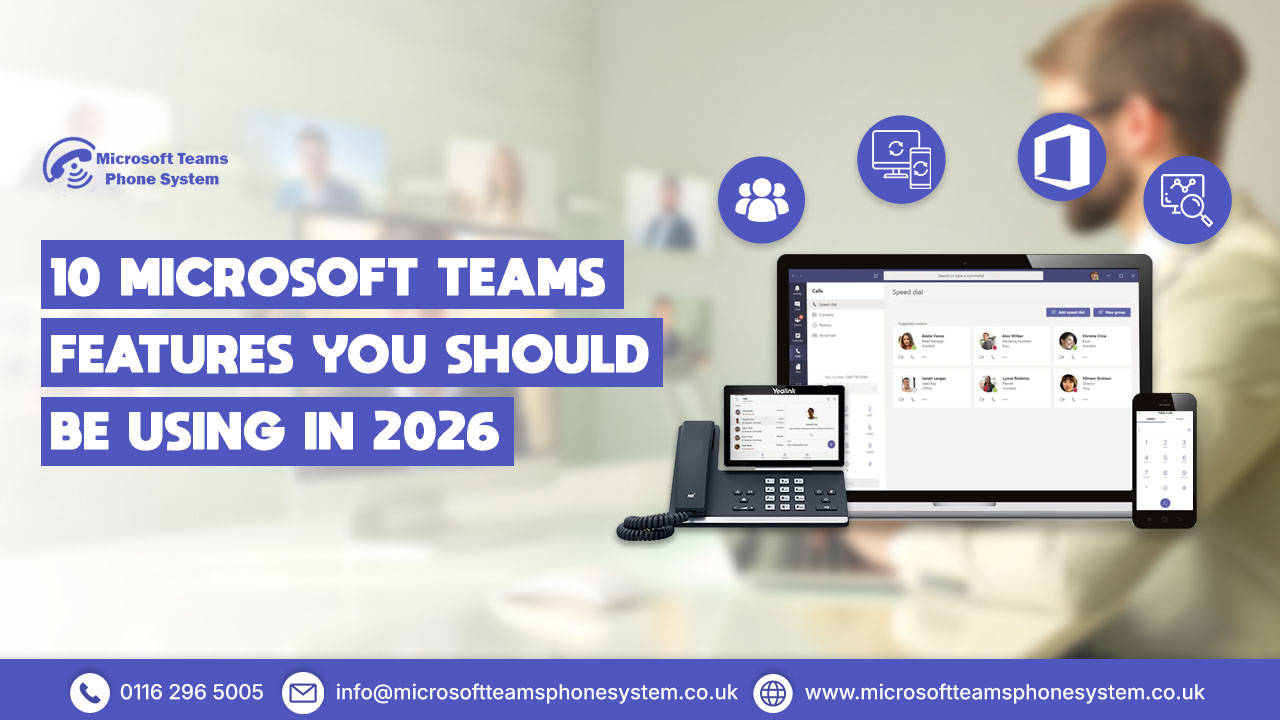
2. Teams Phone (Cloud-Based Calling)
A full business phone system without PBX hardware or separate VoIP apps.
What you get
- Call routing & queues
- Voicemail transcription
- Cross-device calling
Number porting for UK providers
Example: A customer service agent can move a call from their desk PC to mobile without disconnecting. To ensure seamless transfers and smooth workflows, check out our How to Transfer a Call in Microsoft Teams guide for best practices.
3. Whiteboard for Visual Collaboration
A shared canvas for brainstorming, workshops, roadmaps, and quick planning.
Why it stands out
- Real-time collaboration
- Sticky notes, shapes, and templates
Works inside and outside meetings
Use it for: Sprint planning, training sessions, or content ideation where visuals help speed decisions.
4. Real-Time Co-Authoring
Multiple people can work on the same Word, Excel, PowerPoint, or OneNote file—live.
Benefits
- No version confusion
- Faster editing cycles
Instant comments & mentions
Example: Your marketing, sales, and finance teams can update a proposal together instead of emailing files back and forth.
5. Webinars and Virtual Events
Teams now supports professional webinars without needing third-party platforms.
Features
- Registration pages
- Presenter controls
- Moderation tools
- On-demand recordings
Ideal for client demos, staff training, or educational events.
Manage all your meeting in one place
6. Shared Channels With External Users
Work with freelancers, clients, and agencies without switching between organisations.
Why it matters
- No tenant switching
- Controlled access for each project
Reduced email dependency
Example: Create a shared channel with your design agency so both sides can share files, chat, and review drafts in one place.
7. Approvals Built Into Teams
Teams centralises approval workflows directly in chat or channels.
Uses
- Budget sign-offs
- Holiday approvals
- Project confirmations
- Document reviews
Everything is logged automatically, which helps audit trails and speeds up decisions.
8. Planner & To Do for Task Organisation
Simple but powerful task management inside Teams.
Features
- Kanban-style boards
- Priority labels
- Deadline reminders
- Personal + team tasks in one view
Great for keeping teams aligned without switching to Asana or Trello.
9. App Integrations & Power Platform Automation
Teams connects with hundreds of apps — CRM, analytics, ticketing, project tools.
What this enables
- Power BI dashboards inside Teams
- Power Automate workflows
- Auto-notifications in channels
Custom apps via Power Apps
Example: When a form is submitted, Teams notifies the channel and updates SharePoint automatically. no manual admin work.
10. Built-In Security & Compliance Tools
Important for UK organisations dealing with sensitive data.
Core security benefits
- Guest access policies
- Multi-factor authentication
- Encryption of conversations
- Audit logs for compliance
You control exactly what external users can view or edit, keeping your data protected.
Benefits of Using These Features
Better communication
Unified chat, calls, and meetings
Increased productivity
AI and automation remove manual work
Improved teamwork
Co-authoring and shared channels streamline collaboration
Stronger organisation
Planner and Approvals give structure
Improved teamwork
Co-authoring and shared channels streamline collaboration
Cost efficiency
Cuts down multiple tool subscription by bringing everything in one platform
FAQs:
What are the main benefits of Microsoft Teams?
Microsoft Teams brings together chat, video calls, file sharing, task management, and app integrations in one place. This centralisation means teams don’t have to juggle multiple apps, which makes communication smoother, collaboration faster, and day-to-day workflows more efficient.
Can I replace my office phone system with Teams Phone?
Yes. Teams Phone can act as a full replacement for traditional office phone systems. It allows calls on desktops and mobiles, with features like voicemail, call routing, and queues built-in. UK businesses can modernise their communication setup without extra PBX hardware or separate VoIP tools.
How does realtime co-authoring work?
Teams works with Word, Excel, PowerPoint, and OneNote, allowing multiple people to edit the same document simultaneously. Changes are saved automatically, which prevents version conflicts and speeds up collaboration across teams.
Does Teams support webinars or large online events?
Yes. Teams allows you to host webinars and live events with registration pages, moderation controls, presenter tools, and on-demand recordings. This is ideal for staff training sessions, client webinars, or large team meetings, all without additional software.
Can I manage tasks and approvals directly in Teams?
Yes. Planner, To Do, and the Approvals app let you assign tasks, track progress, and manage approvals directly inside Teams. This keeps projects organised and reduces the need for external task management tools.
Conclusion
Microsoft Teams in 2026 is more than just a chat tool it’s a complete digital workspace. By leveraging these 10 essential Microsoft Teams features, UK businesses can streamline workflows, improve collaboration, secure data, and boost productivity. Whether your team works remotely, in-office, or hybrid, Teams helps you work smarter.
Switch to Teams Phone today to replace your traditional PBX System and enjoy unfied calling on any device.