Video meetings are essential for modern businesses, but many teams find that Google Meet becomes limiting as communication needs grow. While it works well for basic calls, it does not fully support collaboration, business calling, or structured communication workflows.
This is why many organisations start looking for a Google Meet alternative that offers more control and flexibility. As teams expand, relying only on a meeting tool can create gaps in communication and efficiency.
In this guide, we break down the best alternatives, explain how they differ, and help you choose the right solution based on your business needs. Whether you need simple meeting tools or a complete communication platform, this page will give you a clear direction.
Key Takeaways
- Why Google Meet becomes limiting as communication grows
- The difference between meeting, collaboration, and communication platforms
- Which tools suit different business needs
- When to use a meeting tool vs a full communication system
- How Microsoft Teams compares to Google Meet
- How to choose based on daily communication needs
Why Businesses Look for Google Meet Alternatives
Many businesses begin with Google Meet thanks to its straightforward setup and ease of use. As teams expand and communication becomes more complex, these limitations become more noticeable as needs increase.
A big driver for seeking a Google Meet alternative comes down to missing advanced communication options. The platform centres on video meetings, yet it stops short of providing a full setup for business calls, team chats, or customer outreach.
Firms also run into restricted oversight. Those handling support desks or sales lines typically require call routing, queues, and thorough call tracking none of which come standard in basic meeting apps.
Growth brings scalability worries too. Google Meet serves small groups adequately, but larger outfits prefer unified platforms blending meetings, messaging, and telephony.
These factors push many to check out other video conferencing tools and online meeting solutions that align better with everyday business communication.
Types of Google Meet Alternatives
Different alternatives fit different roles. Knowing these categories lets you select a solution that truly matches your business, rather than settling for something off the mark.
Meeting Tools
These stand as the closest alternative to Google Meet. They put video conferencing front and centre, which works well for staff huddles or customer catch-ups.
Expect features like:
- Crisp video and sound quality
- Screen sharing plus recording options
- Straightforward meeting controls
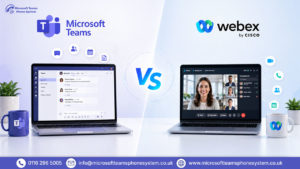
Examples include Zoom and Cisco Webex.
Such tools suit you if meetings form your main focus. They fall short, though, on wider business needs like phone setups or deeper teamwork functions.
Collaboration Tools
These go beyond meetings alone, prioritising team exchanges. They pull together chat, file swaps, and light meeting options into a single space.
They are suitable for:
- Everyday team conversations
- Joint project work
- Quick file and update sharing
Slack represents a prime example here.
They boost internal cooperation nicely, but do not support full business comms—particularly external calls or organised call handling.
Business Communication Platforms
These offer the fullest package. By merging meetings, chat, and phone features, they serve expanding firms perfectly.
Microsoft Teams stands out as a key player.
You generally get:
- Video meetings
- Team messaging
- Built-in phone systems
- Call routing and oversight
For businesses wanting more than meetings, this setup keeps everything under one roof reduces the need for multiple tools.
Improve your meeting experience
Top 5 Google Meet Alternatives
Below are some of the most widely used options businesses turn to. Each tool serves different business needs, so think about what your team requires most.
1. Microsoft Teams
Microsoft Teams goes well beyond basic meetings. It brings together video calls, chat, and phone features into a single hub for business communication.
Unlike Google Meet, it suits firms wanting proper structure for daily interactions, not just occasional video links. You can handle team collaboration and outside calls all in one spot, without hopping between apps.
Key strengths:
- Pulls meetings, messaging, and phone systems together
- Handles call routing, queues, and business-grade calling
- Links smoothly with Microsoft 365 apps
Limitations
- Initial setup takes more time than basic meeting apps
- Best suited for teams of 10+ who need multiple communication channels
Best for: Firms needing a complete communication setup—like support desks, sales groups, or expanding companies.
2. Zoom
Zoom stands out as a top pick for video calls, thanks to its dependable service and simple layout. It’s a clear step up from Google Meet if sharper meeting quality matters most.
It shines in big meetings, webinars, or chats with outsiders. Still, it stays focused on meetings rather than full business comms.
Key strengths:
- Top-notch video with steady connections
- Manages webinars and large groups easily
- Simple and easy-to-use interface
Limitations:
- Phone features come as extras, not built-in
- Not a one-stop communication solution
Best for: Teams wanting solid video for meetings, webinars, or external talks.
3. Cisco Webex
Cisco Webex fits larger setups where security and uptime come first. It packs in features tailored for big firms or strict industries.
It outpaces Google Meet with tighter controls, robust protection, and enterprise tools. Small outfits might find it more than required for small teams, though.
Key strengths:
- Enterprise-level security and compliance
- Handles big teams without a hitch
- In-depth meeting options
Limitations:
- Setup and oversight feel more involved
- Costs more than basic alternatives
Best for: Major companies or enterprises focused on security and oversight.
4. Zoho Meeting
Zoho Meeting keeps things simple and wallet-friendly for core meeting needs. It sets up fast and suits smaller groups well.
It meets everyday video demands without fuss, but skips the extras bigger teams rely on.
Key strengths:
- Budget-friendly rates
- Quick to learn and launch
- Perfect for small outfits
Limitations:
- Short on advanced tools
- Doesn’t scale for complex setups
Best for: Startups or small businesses after an affordable meeting option.
5. GoTo Meeting
GoTo Meeting delivers a clean, trustworthy meeting setup. It prioritises ease over bells and whistles.
Businesses value its stability without the hassle of tricky configs or extra links.
Key strengths:
- Clean, intuitive layout
- Steady results for routine calls
- Fast to get started
Limitations:
- Lacks some cutting-edge features
- Less ideal for rapid growth
Best for: Companies seeking a no-nonsense, reliable meeting tool.
Google Meet vs Microsoft Teams
When comparing Google Meet and Microsoft Teams, the difference is not just features it is how each platform supports business communication.
Google Meet is built for simplicity. It allows teams to join meetings quickly, share screens, and collaborate at a basic level. This works well for small teams or businesses that only rely on scheduled meetings.
Microsoft Teams is designed differently. It is not just a meeting tool but a structured communication platform. Meetings, messaging, file sharing, and calling are all part of a single system.
Key Comparison
| Feature | Google Meet | Microsoft Teams |
|---|---|---|
| Core Purpose | Video meetings | Full communication platform |
| Meeting Capability | Basic to moderate | Advanced |
| Team Communication | Limited | Structured and continuous |
| File Collaboration | Basic | Integrated workflows |
| Phone System | Not available | Built-in options |
| Call Handling | Not supported | Routing, queues, forwarding |
| Scalability | Suitable for small teams | Suitable for growing businesses |
What this means for your business
- If your team only runs meetings → Google Meet is enough
- If your team communicates throughout the day → Teams is more effective
- If your business handles customer calls → Teams becomes necessary
The key difference is structure. Google Meet supports meetings. Microsoft Teams supports how your business communicates overall.
Understand key platform differences
Which Google Meet Alternative Should You Choose
The key difference is structure. Google Meet supports meetings. Microsoft Teams supports how your business communicates overall.
If Your Focus is Only on Meetings
When your team sticks mostly to scheduled calls without much else, a dedicated meeting tool does the job nicely.
- Fits internal catch-ups and client discussions
- Quick setup with little training needed
Options:
- Zoom
- Zoho Meeting
Limitation:
These centre on meetings alone and skip structured business comms or call management.
If Your Business Depends on Communication Workflows
Handling customer chats, support tickets, or sales lines makes using multiple tools a chore.
- Calls for unified communication
- Demands call routing and growth potential
Best choice:
- Microsoft Teams
Why it stands out:
Microsoft Teams merges meetings, chat, and business calling seamlessly. No more tool-switching, just better oversight for all interactions. It handles internal teamwork and external outreach alike, ideal for businesses on the rise.
Why Microsoft Teams Is a Better Choice for Business
Many tools polish just one area of communication. Microsoft Teams lifts the whole setup instead.
Unlike everyday options like Google Meet, Teams fits businesses craving proper structure and room to grow.
All-in-One Communication
Teams pulls meetings, chat, and calling into a single spot.
Why it matters:
- Reduces the need for multiple tools
- Speeds up exchanges
- Keeps things neatly organised
Business Calling Capability
Teams brings extras that basic meeting apps skip:
- Call routing
- Call queues
- External communication
Why it matters:
- Handles customer chats smoothly
- Shapes team communication
- Grows alongside your firm
Built to Scale
Plenty of tools start strong but hit walls later. Teams plans for expansion from day one.
Why it matters:
- No platform swaps down the line
- Meets ongoing business demands
Integrated with Workflows
Teams links communication right into daily tasks via smart connections.
Why it matters:
- Files, meetings, and chats stay linked
- Fills workflow holes
What This Means in Real Use
Pure meeting needs? Switching might not shift much.
But mix in teamwork, customer talks, or set processes, and basic tools drag you down.
Microsoft Teams fixes that as your main communication hub—not merely a meeting add-on.
Upgrade to smarter communication system
FAQ's
1. What are the best Google Meet alternatives for businesses?
The best Google Meet alternatives depend on your business needs and communication style. Tools like Zoom work well for meetings, but they focus mainly on video conferencing. Microsoft Teams stands out by combining meetings, messaging, and business calling in one platform.
2. When should you switch from Google Meet to another platform?
You should switch when your team needs more than basic video meetings. If your business relies on ongoing communication, collaboration, or customer calls, Google Meet may become limiting. Microsoft Teams offers a more structured solution that supports all these needs in one place.
3. Can a Google Meet alternative replace multiple communication tools?
Yes, but only certain platforms can fully replace multiple tools. Basic meeting tools handle video calls, but they do not cover messaging or business calling. Microsoft Teams combines meetings, chat, and calling, helping businesses reduce tool dependency and improve efficiency.
4. How does Microsoft Teams compare in cost to Google Meet?
Costs vary depending on the plan and features required by your business. While Google Meet focuses on meetings, additional tools may be needed for full communication. Microsoft Teams often includes messaging and calling, which can reduce overall costs by replacing multiple services.
5. Which Google Meet alternative is best for small businesses?
For small businesses, simple tools like Zoom or Zoho Meeting are suitable for basic meetings. However, as communication needs grow, these tools may become limited. Microsoft Teams is often a better long-term option as it supports scaling with integrated communication features.
Conclusion
Choosing the right Google Meet alternative comes down to your business’s communication style. While Zoom or Zoho Meeting handle meetings nicely, they fall short on complete communication demands. For firms needing proper collaboration and calling features, Microsoft Teams offers the most thorough and flexible option.
Choose the best communication solution